Your 8999tt Account Starts Here
One short form and a single wallet get you inside the 8999tt lobby, where live dealer tables, slot rooms and cricket markets all sit behind the same sign-in.
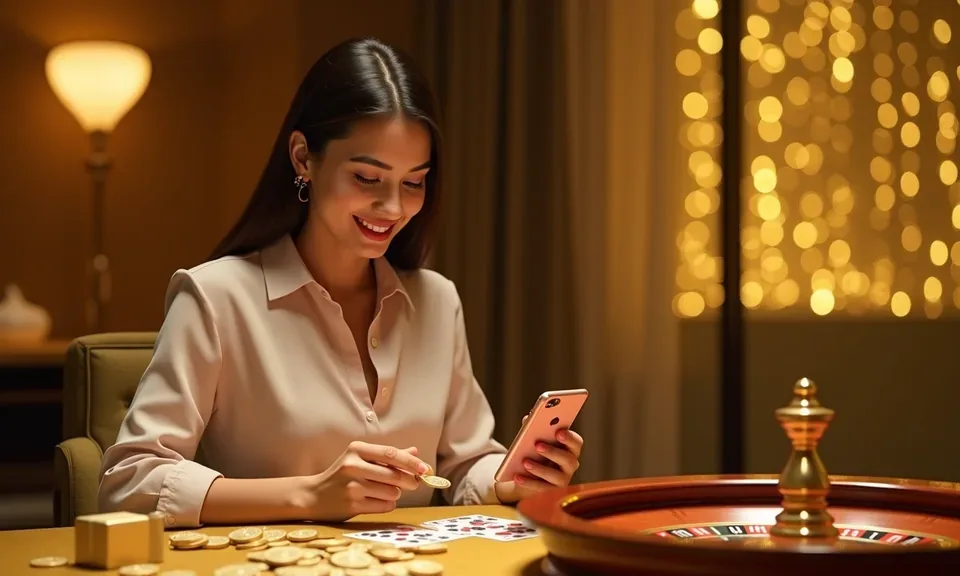
Cash In With bKash, Nagad And Rocket
Your wallet sits on the same account the lobby runs on, so cash-in and cash-out never leave the page. Pick bKash, Nagad, Rocket, Upay or a bank transfer, and we show the receiving number and a reference code on screen. Send from your own wallet, confirm with your PIN, then tap confirm on our side. The amount lands on your balance once the wallet clears it. If the reference is wrong, the money sits unmatched until support traces it, so type carefully. Cash-out returns to the wallet it came from, which is why your account name and wallet name have to agree.
How We Keep Your Details Safe
Your account holds money, so we treat the login like a bank PIN rather than a forum password. Pages load over an encrypted connection, one-time codes guard sign-in from unfamiliar devices, and documents sent for verification are used only to confirm who you are. Age and region checks stay in place too, since access depends on local law and eligible regions. Decide your own spending cap before you sit down. If you would rather pause the account, tell support and we will action it.
Encrypted Sessions
Every page and form in the lobby loads over an encrypted connection, including the sign-up form where your password and mobile number are typed.
Identity Match
Verification compares your name and ID photo against the account record and the wallet you pay from. It happens once, then cash-out runs without a repeat document request.
Shared Device Care
Signing in on a cousin's phone is fine as long as you close the session afterwards. Your account screen lists active devices, so anything unfamiliar can be ended straight away.
Data Kept Minimal
We ask for what a wallet transfer genuinely needs and nothing beyond it. Documents uploaded for verification stay attached to your account record and are not passed around.
What The Sign-Up Form Asks You
Fill in your mobile number and a password, and we send a one-time code by SMS to that number. It confirms the phone is yours, and it is also where wallet alerts and future login codes land, so use a number you actually answer. Then comes your name as it appears on your bKash, Nagad
or Rocket account. Match it exactly. Mismatched names are the most common reason a cash-out stalls, and sorting it out later means sending the documents anyway. Once that is done, the lobby opens on a zero balance. Nothing is taken until you choose an amount, so look around first: open Roulette LuckWave, watch a live
baccarat table, see which cricket markets are listed. Signing in later takes your number plus password, or the SMS code if the password slips. Cash-out verification happens once, with an ID photo and a short selfie matched to your account name.
-
SMS Code Sign-In Your mobile number gets a one-time code whenever you log in from a new device, so a borrowed phone never leaves your wallet exposed.
-
Name Match Check The name on your account has to match your bKash, Nagad or Rocket wallet. We check it at cash-out, so set it right on the form.
-
One Wallet, Three Rooms Your balance covers live tables, slot rooms and the cricket book together. Switch from Holdem MiniBets to a BPL market without moving money between accounts.
-
Session Control See every device signed in to your account and close the ones you no longer use. If you log in on a friend's phone, end that session before handing it back.
Account
Fill in your mobile number and a password, and we send a one-time code by SMS to that number. It confirms the phone is yours, and it is also where wallet alerts and future login codes land, so use a number you actually answer. Then comes your name as it appears on your bKash, Nagad or Rocket account. Match it exactly. Mismatched names are the most common reason a cash-out stalls, and sorting it out later means sending the documents anyway. Once that is done, the lobby opens on a zero balance. Nothing is taken until you choose an amount, so look around first: open Roulette LuckWave, watch a live baccarat table, see which cricket markets are listed.
See the LobbyYour details are encrypted for secure account access.
Sign-Up Questions We Hear Often
Most of what holds people up at sign-up is small: a name typed differently from the wallet, an SMS code sent to an old number, a transfer without the reference. We would rather answer those before you hit them than after. Below are the six things our chat desk fields most, written the way we would explain them on a call.
Register
Service availability depends on eligible regions and local law. Users should check local rules before opening an account.
Access may be available only where local law permits.